
Nobody gets excited about conference room hardware — until the camera can’t find until the camera can’t find who is talking, or the mic makes everyone sound like they’re calling from a tin can. Logitech’s been chasing that problem for years with its Rally lineup, and the Rally Bar Mini is the version built for rooms too small for the full-size Rally Bar.
Here’s what it actually does well, the real specs, honest pricing, and where it falls short. This review covers specs, setup, pricing, platform compatibility, and how it stacks up against the Poly Studio R30 and Jabra PanaCast 50.
So What Is It?
One bar camera, speakers, mics mounted above or below your display. No codec box, no separate camera, no mic pod hogging the table. It sits below the full-size Rally Bar in Logitech’s lineup, built for small-to-medium rooms: four to eight people, not a boardroom.
Who’s It Actually For?
Small meeting rooms (4–6 people): the 120° FOV and 7-meter mic range cover a standard table comfortably.
Medium rooms (up to ~8): still workable, though check Logitech’s own room-size guidance at the larger end — coverage depends on room shape as much as headcount.
Hybrid teams: the Speaker/Group/Grid framing modes are genuinely built for mixed in-room-and-remote meetings.
IT-managed orgs: Logitech Sync’s fleet tools only pay off once you’re managing several rooms, not one.
BYOD users: walk in with a laptop, plug into USB, done.
If you’re outfitting one small office with no need for centralized management, it’s worth weighing against cheaper single-room gear — more on that below.
Where It Shines
The camera punches above its weight. RightSight 2 handles auto-framing, backed by a separate AI Viewfinder sensor dedicated to tracking who’s talking. Three modes: Speaker View spotlights whoever has the floor, Group View keeps everyone in frame, and Grid View splits people into tiles instead of showing an empty table. Small thing — until you’re the remote person squinting at three people crammed on one side of the screen.
The mic the setup isolates people, not just the room. Six beam-forming microphones lock onto the active speaker with an official pickup range of up to 7 meters — plenty for a typical 4–8 person table without needing a satellite mic pod. Right sound processing evens out the member and the shouter and strips off background noise. Logitech says this improves over time via on-device tuning, which sounds like marketing until you remember the firmware updates are real and frequent.
Two ways to run it. Plug into a laptop over USB, and it’s just a webcam and speaker, no drivers needed. Or skip the PC entirely with Appliance mode, running Zoom Rooms or Microsoft Teams Rooms directly.
IT will love this more than anyone in the meeting ever will. Logitech Sync gives remote monitoring, updates, and diagnostics — huge if you’re managing fifty rooms and don’t want to visit each one for a firmware patch.
Cable management is thought through too, with a built-in retention system, table stand, and optional wall/TV mounts.

Setup and Installation
It’s genuinely quick, whether it’s one room or fifty:
- Mount it — table stand out of the box or optional wall/TV mounts for a permanent installation.
- Power and display — plug in power, run the included HDMI cable.
- Pick BYOD or Appliance mode. BYOD: USB-C into a laptop or room PC, instantly recognized as a camera/speaker, works in Zoom, Teams, Meet, whatever. Appliance mode: skip the PC, the bar runs Zoom Rooms or Teams Rooms on its own, going through that platform’s own sign-in flow.
- Wire it to Ethernet for Appliance mode or fleet management — more reliable than Wi-Fi in a room that needs to stay online.
- Enroll in Logitech Sync if you’re managing more than a couple rooms, for remote visibility and updates.
- Test a real call at your actual table size before calling it done — this is where you’ll find a room that’s bigger than the bar’s comfortable range.
Single-room BYOD setups take well under an hour. Multi-room Appliance deployments take longer mostly because of platform-side registration, not the hardware.
BYOD vs. Appliance Mode
This confuses people more than it should. USB/BYOD mode makes the bar a plug-and-play camera and speaker for any laptop — platform-agnostic, works with Zoom, Microsoft Teams, Google Meet, Webex, anything, since the software runs on your machine. Appliance mode flips that: the bar itself runs the conferencing software, no PC involved, but only on platforms Logitech has certified — specifically Zoom Rooms and Microsoft Teams Rooms (Android and Windows). Google Meet support tends to live on the BYOD side rather than as a dedicated appliance experience — worth confirming current status before buying, since certifications shift.
Basically: want it to run Zoom Rooms or Teams Rooms on its own? Appliance mode. Already have room for PCs and just want better hardware? BYOD.
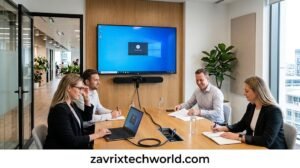
Logitech Rally Bar Mini Specs
| Category | Detail |
| Dimensions | 3.6 in H × 28.3 in W × 3.98 in D (91.4 × 719 × 101 mm) |
| Weight | 8.88 lbs (4.03 kg) |
| Video resolution | Up to 4K, down to SD, 30 fps |
| Digital zoom | 4x HD |
| Field of view | 120° diagonal / 113° horizontal |
| Pan / Tilt | Motorized ±25° pan / ±15° tilt |
| Microphones | 6-mic beam-forming array, up to 7 m range |
| Speakers | 3 built-in, 5W RMS |
| Displays supported | 2 (up to 3 in some configs) |
| Connectivity | USB-C, HDMI, Ethernet |
| Security | AES-128 encryption, Arm Trust Zone |
| Certifications | Zoom, Microsoft Teams, Google Meet (varies by SKU) |
| OS support (BYOD) | Windows 8.1+, macOS 10.10+ |
| Colors | Graphite, White |
| Warranty | 2-year limited (extensions available) |
Logitech Rally Bar Mini Price
MSRP sits around $3,499, but street pricing swings a lot depending on the retailer and bundle. Checked across resellers in September 2026:
- Standalone bar: $3,000–$4,500
- Bundled with a Tap IP controller: $4,200–$5,200+
- UK: official list £4,500–£5,400, often discounted to £2,600–£3,100
Some of those lower numbers are promo or out-of-stock pricing rather than standing prices — treat this as a realistic range, not a quote, and check with an authorized reseller before budgeting a rollout.
How It Compares
| Feature | Rally Bar Mini | Poly Studio R30 | Jabra PanaCast 50 |
| Camera | Single 4K + AI Viewfinder | Single 4K | 3-camera panoramic 4K |
| FOV | 120° / 113° | 120° | 180° |
| Zoom | 4x digital | Up to 5x (4x tracking) | Up to 6x digital |
| Mics | 6-mic array, up to 7m | Beam-forming array | 8-mic array |
| AI framing | RightSight 2 + Viewfinder | DirectorAI | Virtual Director |
| Best room size | Small–medium (4–8) | Huddle (up to ~6) | Wide/shallow rooms |
| Fleet tools | Logitech Sync | Poly Lens | Jabra Xpress |
| Street price (USD) | $3,000–$4,500 | $600–$900 | $1,400–$1,900 |
The PanaCast 50s 180° view genuinely suits wide, shallow rooms a fixed lens would clip. The R30 sits in a totally different price tier — a lighter huddle-room pick, not a direct rival. The Rally Bar Mini’s premium mostly buys AI framing depth, build quality and Sync’s fleet management, and not dramatically better raw specs.
Vs. the R30: cheaper, smaller-room focused — a fair budget pick for one room, but you lose the AI Viewfinder and Sync’s depth.
Vs. the PanaCast 50: better for unusually wide rooms and meaningfully cheaper; the Rally Bar Mini pulls ahead on fleet management maturity, though Jabra’s Xpress keeps closing that gap.
Other options: the full-size Logitech Rally Bar Mini for bigger rooms with longer zoom, or budget-tier players like Yealink and Neat if platform lock-in or price is the deciding factor.
No universal winner here — it comes down to room shape, budget, and which platform you’re already on.
Pros and Cons
Good: AI framing and audio isolation that’s genuinely noticeable, not just marketing; quick all-in-one install; Appliance mode skips the room PC; Sync makes fleet management easy; wide platform certification.
Not so good: costs meaningfully more than the R30 or PanaCast 50; single-room buyers pay for management features they won’t use; leans on Logitech’s own Sync ecosystem; narrower FOV than a panoramic option like the PanaCast 50.
Final Thought
The Rally Bar Mini earns its reputation — the camera tracking and audio are legitimately good, setup is about as painless as this category gets, and Appliance mode is a real convenience. The catch is price: it’s built for scale, not a single scrappy office.
For organizations that want centralized room management, strong AI framing, broad platform support, and an all-in-one design, it’s a strong pick. If your rooms are oddly shaped, budgets tight, or you’re outfitting just one or two spaces, put the Poly Studio R30 or Jabra PanaCast 50 next to it before you decide.
